massphoto: from movies to masses#
massphoto is an open-source Python package for analysing mass photometry movies, from detecting single-protein events to measuring contrasts and calibrated mass distributions.
For mass photometry users: Analyse your measurements directly in Python, keeping your entire workflow transparent, shareable, and fully under your control.
Simple yet flexible: Turn raw movies into calibrated mass distributions with a single command, or customise parameters like integration time and PSF shape.
Open and reproducible: Automate batch processing across large datasets and output single-molecule events as standard pandas DataFrames to integrate into your analysis pipelines.
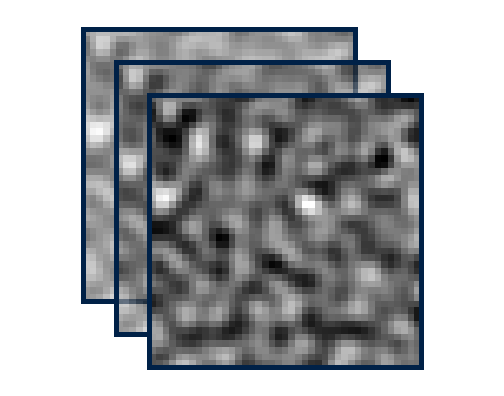
1. Raw movie
Camera intensity over time
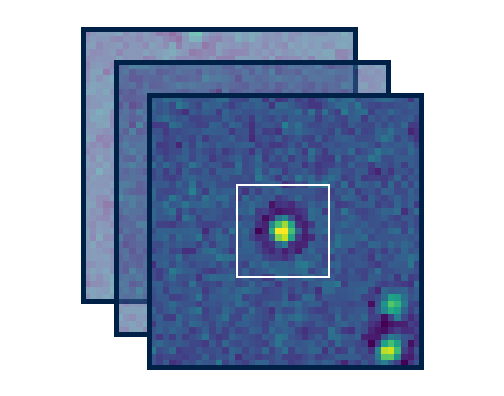
2. Reveal events
Ratiometric background subtraction & detection
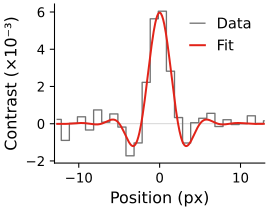
3. Fit events
Event positions and contrasts
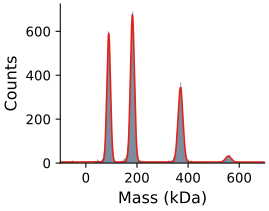
4. Mass distribution
Calibrate, filter, and analyse
Data from a real mass photometry measurement of dynamin (see the detailed analysis tutorial). The package reads raw mass photometry movies, performs ratiometric background subtraction, detects single-molecule events, fits their point spread functions (PSFs), and returns a table of fitted events with contrasts and calibrated masses.
Best Practice Protocol & Data
For comprehensive experimental guidelines, sample preparation protocols, and calibration strategies, see: Kratochvíl et al., Best practice mass photometry: a guide to optimal single-molecule mass measurement, Nature Protocols 2025, (10.1038/s41596-025-01255-4). The benchmark datasets used in this documentation are part of this study and are available on Zenodo (10.5281/zenodo.15800729).
massphoto is designed for simplicity: a single command turns a movie into a calibrated event table, while every stage - drift correction, background subtraction, candidate detection, and PSF fitting - can be configured and customised. Results are returned as standard pandas DataFrames with complete metadata:
import massphoto as mp
df = mp.fit("./protein_measurement.mp")
Each row of the returned DataFrame describes one fitted single-molecule event:
| frame | x | y | contrasts | masses_kDa | |
|---|---|---|---|---|---|
| 0 | 20 | 86.09 | 6.87 | 0.00343 | 101.2 |
| 1 | 20 | 165.06 | 72.34 | 0.00604 | 182.1 |
| 2 | 20 | 205.38 | 74.17 | 0.00648 | 195.8 |
| 3 | 20 | 124.95 | 80.87 | 0.00580 | 174.5 |
| 4 | 20 | 189.78 | 93.18 | 0.01202 | 367.4 |
To include mass columns, first set your
mass calibration in
mp.defaults. Without calibration, you can still inspect fitted contrasts.
The usage guide explains the processing stages, result columns, and choices that affect your analysis. The examples provide complete recipes.
Explore the code examples#
Walk through runnable Python scripts and downloadable Jupyter notebooks covering typical mass photometry workflows (see the full example gallery):
Code example showing how to turn known reference masses into a contrast-to-mass calibration and check the resulting mass scale.
Code example going from a raw movie to a calibrated mass distribution, including fit quality filtering, and peak fitting.
Walk-through of each processing stage individually to inspect intermediate results and tune parameters for your measurement.
Feedback & Community#
Encountered a bug, working with an unsupported instrument or file format, or have a feature request? Please open an issue on the GitHub Issue Tracker!